

Getting started
Last update: 17.06.2026An application's point of contact with Granta MI Connected Materials is the Granta Integration Service REST API. This API brokers data between Granta services and your application.
Any programming environment that can execute HTTP requests and parse a JSON response should be able to use the Granta Integration Service.
For a simpler and more performant workflow, HTTP SSE (Server-Sent Events) can be used for part of the workflow.
Our examples use Python, but your application environment may restrict your choice of programming language.
Authentication
In order to use Granta MI Connected Materials, you need an account that has access to the Synopsys hosted instance.
Prerequisites
- A supported version of Python. You can download Python from https://www.python.org/downloads/.
- The following Python packages required by the example:
requestsmsal
- The example script
SimpleExample.py, available here: python_examples.zip
To get started:
-
Open a Command Prompt and navigate to the working directory.
-
Install the required Python packages using pip:
python -m pip install requests msal -
Edit
SimpleExample.pyand replace the placeholdercloudserver.comwith the URL you are developing against. See Examples. -
Run the example script:
python SimpleExample.py
This launches the Granta Material Picker:
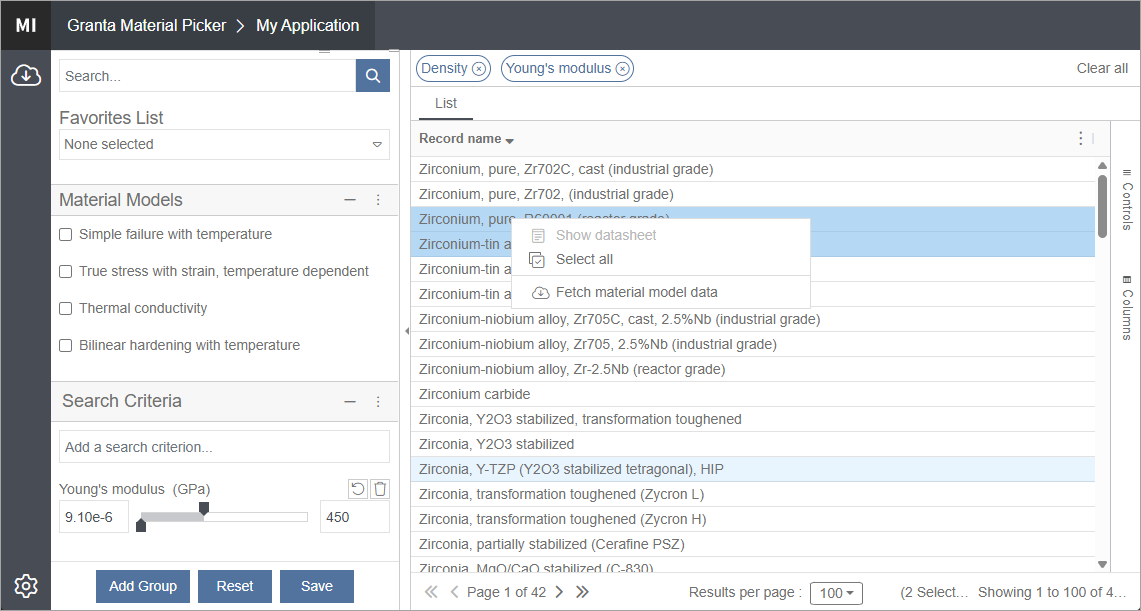
You can now browse and search materials data for import to your application. Use the User guide to review basic concepts and material models, and understand how to integrate the Material Picker into your application.
