

ZOSAPI.Tools.General.IRestoreProject Interface Reference
Last update: 17.07.2025
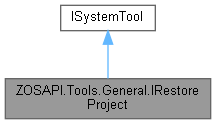
Inheritance diagram for ZOSAPI.Tools.General.IRestoreProject:
Public Member Functions | |
| ArchiveFileStatus | SetFileName (string archiveFile) |
| Sets the name of the input archive. | |
| string | GetOutputFolder () |
| Gets the currently selected output folder. | |
| bool | SetOutputFolder (string folder) |
| Sets the desired output folder. | |
| string | GetFileNameInArchive (int fileNumber) |
| Gets the file name for the specified file in the archive. | |
| void | SetFileOverwrite (int fileNumber, bool allowOverwrite) |
| Sets a flag determining whether the file at the specified index will be overwritten if it already exists. | |
| void | SetFilesAllOverwrite () |
| All files will be overwritten if they exist. | |
| void | SetFilesNoOverwrite () |
| No files will be overwritten. | |
| FileManager.IFile | GetFile (int fileNumber) |
| bool | UseProjectFile (int fileNumber) |
| bool | UseRootFile (int fileNumber) |
| bool | SetAllFilesToProject () |
| bool | SetAllFilesToRoot () |
| FileManager.IFile | GetAdditionalFile (int addfileNumber) |
 Public Member Functions inherited from ZOSAPI.Tools.ISystemTool Public Member Functions inherited from ZOSAPI.Tools.ISystemTool | |
| bool | Run () |
| Start the tool. Note that for synchronous tools (see IsAsynchronous), this call will block until completion. If it is asynchronous it will start running but return immediately. | |
| bool | RunAndWaitForCompletion () |
| Sames as calling Run followed by WaitForCompletion. | |
| bool | WaitForCompletion () |
| Waits for the asynchronous tool to complete. | |
| bool | Cancel () |
| Cancels the currently running asynchronous tool. | |
| bool | Close () |
| Closes this tool and frees up and associated resources. | |
| RunStatus | WaitWithTimeout (double timeOutSeconds) |
| Waits for the currently running tool to complete, with a specified time out value. Note that if the timeout is exceeded this method will return, however the tool will continue to run. Also note that this method will not start the tool running if it is not already. | |
| RunStatus | RunAndWaitWithTimeout (double timeOutSeconds) |
| Starts the tool running, and waits for it to complete with the specified timeout value. Note that if the timeout is exceeded this method will return, however the tool will continue to run. | |
Properties | |
| string | ArchiveFile [get] |
| Gets the name of the currently selected input archive. | |
| int | NumberOfFilesInArchive [get] |
| Gets the number of files stored in the specified archive. | |
| int | NumberOfAdditionalFiles [get] |
| Properties inherited from ZOSAPI.Tools.ISystemTool | |
| int | Progress [get] |
| Gets the progress of the current tool, if supported. | |
| string | Status [get] |
| Gets the status of the current tool, if supporoted. | |
| bool | IsRunning [get] |
| Gets a value indicating whether the tool is currently running asynchronously. | |
| bool | CanCancel [get] |
| Gets a value indicating whether the tool can be cancelled. | |
| bool | IsAsynchronous [get] |
| Gets a value indicating whether the tool runs asynchronously (i.e. on a thread). | |
| bool | IsFiniteDuration [get] |
| Gets a value indicating whether this tool will complete on its own. | |
| bool | IsValid [get] |
| Gets a value indicating whether the input settings are valid. | |
| bool | Succeeded [get] |
| Gets a value indicating whether the tool execution succeeded. | |
| string | ErrorMessage [get] |
If Succeeded is false, get the error messages; otherwise, null. | |
Member Function Documentation
◆ GetAdditionalFile()
| FileManager.IFile ZOSAPI.Tools.General.IRestoreProject.GetAdditionalFile | ( | int | addfileNumber | ) |
◆ GetFile()
| FileManager.IFile ZOSAPI.Tools.General.IRestoreProject.GetFile | ( | int | fileNumber | ) |
◆ GetFileNameInArchive()
| string ZOSAPI.Tools.General.IRestoreProject.GetFileNameInArchive | ( | int | fileNumber | ) |
Gets the file name for the specified file in the archive.
- Parameters
-
fileNumber The file number (0 - NumberOfFilesInArchive-1).
- Returns
◆ GetOutputFolder()
| string ZOSAPI.Tools.General.IRestoreProject.GetOutputFolder | ( | ) |
Gets the currently selected output folder.
- Returns
◆ SetAllFilesToProject()
| bool ZOSAPI.Tools.General.IRestoreProject.SetAllFilesToProject | ( | ) |
◆ SetAllFilesToRoot()
| bool ZOSAPI.Tools.General.IRestoreProject.SetAllFilesToRoot | ( | ) |
◆ SetFileName()
| ArchiveFileStatus ZOSAPI.Tools.General.IRestoreProject.SetFileName | ( | string | archiveFile | ) |
Sets the name of the input archive.
- Parameters
-
archiveFile The full path to the archive file.
- Returns
- The results from trying to read the archive.
◆ SetFileOverwrite()
| void ZOSAPI.Tools.General.IRestoreProject.SetFileOverwrite | ( | int | fileNumber, |
| bool | allowOverwrite | ||
| ) |
Sets a flag determining whether the file at the specified index will be overwritten if it already exists.
- Parameters
-
fileNumber The file number (see GetFileNameInArchive). allowOverwrite if set to truethe file will be overwritten; otherwise it will be skipped.
◆ SetFilesAllOverwrite()
| void ZOSAPI.Tools.General.IRestoreProject.SetFilesAllOverwrite | ( | ) |
All files will be overwritten if they exist.
◆ SetFilesNoOverwrite()
| void ZOSAPI.Tools.General.IRestoreProject.SetFilesNoOverwrite | ( | ) |
No files will be overwritten.
◆ SetOutputFolder()
| bool ZOSAPI.Tools.General.IRestoreProject.SetOutputFolder | ( | string | folder | ) |
Sets the desired output folder.
- Parameters
-
folder The folder.
- Returns
- if the specified folder is valid and exists; otherwise,true.false
◆ UseProjectFile()
| bool ZOSAPI.Tools.General.IRestoreProject.UseProjectFile | ( | int | fileNumber | ) |
◆ UseRootFile()
| bool ZOSAPI.Tools.General.IRestoreProject.UseRootFile | ( | int | fileNumber | ) |
Property Documentation
◆ ArchiveFile
|
get |
Gets the name of the currently selected input archive.
The full path to the archive file.
◆ NumberOfAdditionalFiles
|
get |
◆ NumberOfFilesInArchive
|
get |
Gets the number of files stored in the specified archive.
The number of files in archive.
