

ZOSAPI.Editors.LDE.ILensDataEditor Interface Reference
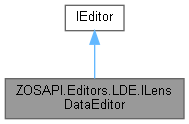
Last update: 17.07.2025This interface defines all properties and methods needed to interact with the Lens Data Editor. This interface can be accessed via the IOpticalSystem interface. More...
Public Member Functions | |
| ILDERow | GetSurfaceAt (int SurfaceNumber) |
| Gets the data for the specified surface. | |
| ILDERow | InsertNewSurfaceAt (int SurfaceNumber) |
| Inserts a new surface at the specified position. | |
| ILDERow | AddSurface () |
| Adds a new surface as the last surface in the system. | |
| bool | RemoveSurfaceAt (int SurfaceNumber) |
| Removes the surface at the specified location. | |
| int | RemoveSurfacesAt (int SurfaceNumber, int numSurfaces) |
| Removes one or more surfaces at the specified location. | |
| bool | ShowLDE () |
| Shows this editor in the UI. Note that this only has an effect if the IOpticalSystem.Mode is ZOSAPI_Mode.Plugin. | |
| void | HideLDE () |
| Closes this editor in the UI. Note that this only has an effect if the IOpticalSystem.Mode is ZOSAPI_Mode.Plugin. | |
| ILDETool_AddCoatingsToAllSurfaces | GetTool_AddCoatingsToAllSurfaces () |
| Gets the settings for the Add Coatings to All Surfaces tool. | |
| void | RunTool_AddCoatingsToAllSurfaces (ILDETool_AddCoatingsToAllSurfaces settings) |
| Runs the Add Coatings to All Surfaces tool with the specified settings (GetTool_AddCoatingsToAllSurfaces). | |
| void | RunTool_RemoveAllApertures () |
| Remove All Apertures. | |
| void | RunTool_ConvertSemiDiametersToCircularApertures () |
| Convert Semi-Diameters to Circular Apertures. | |
| void | RunTool_ConvertSemiDiametersToFloatingApertures () |
| Convert Semi-Diameters to Floating Apertures. | |
| void | RunTool_ConvertSemiDiametersToMaximumApertures () |
| Convert Semi-Diameters to Maximum Apertures. | |
| void | RunTool_ReplaceVignettingWithApertures () |
| Replace Vignetting with Apertures. | |
| CoordinateConversionResult | RunTool_ConvertGlobalToLocalCoordinates (int FirstSurface, int LastSurface, ConversionOrder order) |
| Converts Global to Local coordinates. | |
| CoordinateConversionResult | RunTool_ConvertLocalToGlobalCoordinates (int FirstSurface, int LastSurface, int referenceSurface) |
| Converts Local to Global coordinates. | |
| double | GetApodization (double px, double py) |
| This item computes the intensity apodization of a ray from the apodization type and value. | |
| void | GetFirstOrderData (out double EFL, out double paraxialWorkingFNumber, out double realWorkingFNumber, out double paraxialImageHeight, out double paraxialMagnification) |
| This item extracts first order data about the lens. | |
| bool | GetGlass (int Surface, out string glassName, out double nd, out double vd, out double dpgf) |
| Retrieve data about the glass on any surface. | |
| bool | GetGlobalMatrix (int Surface, out double R11, out double R12, out double R13, out double R21, out double R22, out double R23, out double R31, out double R32, out double R33, out double Xo, out double Yo, out double Zo) |
| Get the matrix required to convert any local coordinates (such as from a ray trace) into global coordinates. | |
| int | GetIndex (int Surface, int NumberOfWavelengths, [MarshalAs(UnmanagedType.LPArray, SizeParamIndex=1)][In, Out]double[] indexAtWavelength) |
| Extract refraction data for any surface. | |
| bool | SetLabel (int Surface, int label) |
| Sets the integer label associated with the specified surface. | |
| bool | GetLabel (int Surface, out int label) |
| Gets the integer label associated with the specified surface. | |
| bool | FindLabel (int label, out int Surface) |
| Finds the surface associated with the specified integer label. | |
| void | GetPupil (out ZemaxApertureType type, out double ApertureValue, out double entrancePupilDiameter, out double entrancePupilPosition, out double exitPupilDiameter, out double exitPupilPosition, out PupilApodizationType ApodizationType, out double ApodizationFactor) |
| Retrieve pupil data. | |
| bool | GetSag (int Surface, double X, double Y, out double sag, out double alternateSag) |
| Gets the sag values(s) for the specified surface, in lens units. | |
| int | CopySurfaces (int fromSurfaceNumber, int NumberOfSurfaces, int toSurfaceNumber) |
| Copy and paste the specified number of surfaces from one location to another. Note that it is okay for the source and destination to overlap. | |
| int | CopySurfacesFrom (ILensDataEditor fromEditor, int fromSurfaceNumber, int NumberOfSurfaces, int toSurfaceNumber) |
| Copy and paste the specified number of surfaces from one location (in the specified system) to another location (in this system). Note that it is okay for the source and destination to overlap. | |
| IMessage | RunTool_ReverseElements (int firstSurface, int lastSurface) |
| Reverses a lens element or group. | |
| IMessage | RunTool_AddFoldMirror (int Surface, TiltType tilt, double reflectAngle) |
| Make the specified surface a fold mirror and inserts the required coordinate breaks to bend a beam. | |
| IMessage | RunTool_DeleteFoldMirror (int foldSurface) |
| Deletes an existing fold mirror, including any neighboring coordinate breaks. | |
| IMessage | RunTool_MakeDoublePass (int reflectAtSurface) |
| Create a second pass through the specified surfaces that represents a reflection propagating back through the optical system. | |
| IMessage | RunTool_MakeFocal (double focalLength) |
| Scale the lens to the desired focal length. | |
| bool | CanConvertSurfaceToFreeform (int fromSurface) |
| Checks if surface can be converted to a TrueFreeForm type. | |
| IMessage | RunTool_ConvertSurfaceToFreeform (int fromSurface, int freeformSurface, int gridNx, int gridNy, bool limitToClearAperture) |
| Converts one sag-based surface into a TrueFreeForm surface on another row. | |
| IMessage | RunTool_ConvertSurfaceInPlaceToFreeform (int fromSurface, int gridNx, int gridNy, bool limitToClearAperture) |
| Converts one sag-based surface into a TrueFreeForm surface on the same row. | |
| bool | CanExportPointCloud (int Surface) |
| Checks if surface can be exported to a point cloud file. | |
| IMessage | RunTool_ExportPointCloudFile (int Surface, string filename, int gridNx, int gridNy, bool includeSurfaceNormals, PointCloudFileFormat format) |
| For supported surfaces, exports to a point cloud file. | |
| string | GetClosestGlass (int Surface) |
| Get the closest catalog glass to the model glass on the specified surface. Note that this should only be called for a surface that uses a model glass solve, otherwise the result is undefined. | |
| long | GetId (int surface) |
| Get the unique identifier for the given surface. | |
| ILDETool_TiltDecenterElements | GetTool_TiltDecenterElements () |
| Gets the settings for the Tilt/Decenter Element tool. | |
| IMessage | RunTool_TiltDecenterElements (ILDETool_TiltDecenterElements settings) |
| Runs the Tilt/Decenter Element tool with the specified settings (GetTool_TiltDecenterElements). | |
 Public Member Functions inherited from ZOSAPI.Editors.IEditor Public Member Functions inherited from ZOSAPI.Editors.IEditor | |
| IEditorRow | GetRowAt (int pos) |
| Gets the row at the specified index (0 to NumberOfRows-1). | |
| IEditorRow | InsertRowAt (int pos) |
| Inserts a new row at the specified index (0 to NumberOfRows). Note that some editors - such as the Lens Data Editor may not allow inserting new rows before the first row. | |
| IEditorRow | AddRow () |
| Adds a new row at the end of the editor. | |
| bool | DeleteRowAt (int pos) |
| Deletes a row at the specified index (0 to NumberOfRows-1). Note that all editors require at least one row, and some editors may require more than that. | |
| int | DeleteRowsAt (int pos, int numberOfRows) |
| Deletes one or more rows at the specified index (0 to NumberOfRows-1). | |
| int | DeleteAllRows () |
| Deletes all rows from the current editor. | |
| bool | ShowEditor () |
| Shows this editor in the UI. Note that this only has an effect if the IOpticalSystem.Mode is ZOSAPI_Mode.Plugin. | |
| void | HideEditor () |
| Closes this editor in the UI. Note that this only has an effect if the IOpticalSystem.Mode is ZOSAPI_Mode.Plugin. | |
Properties | |
| int | RowToSurfaceOffset [get] |
| Gets the offset from a row to a surface. Note that unlike all other editors, this is 0. | |
| int | NumberOfSurfaces [get] |
| Gets the number of surfaces in the current system. | |
| int | NumberOfNonSequentialSurfaces [get] |
| Gets the number of surfaces in the current system. | |
| SurfaceColumn | FirstColumn [get] |
| Gets the first available column. | |
| SurfaceColumn | LastColumn [get] |
| Gets the last available column. | |
| int | StopSurface [get] |
| Gets the number of the stop surface. | |
| Properties inherited from ZOSAPI.Editors.IEditor | |
| EditorType | Editor [get] |
| Gets the type of this editor instance. | |
| int | NumberOfRows [get] |
| Gets the number of rows in this editor. Note that this referes to surfaces, objects, or operands depending on editor type. | |
| int | MinColumn [get] |
| The minimum column index that can be used in calls to IEditorRow.GetCellAt for any IEditorRow retrieved from this editor. | |
| int | MaxColumn [get] |
| The maximum column index that can be used in calls to IEditorRow.GetCellAt for any IEditorRow retrieved from this editor. | |
Detailed Description
This interface defines all properties and methods needed to interact with the Lens Data Editor. This interface can be accessed via the IOpticalSystem interface.
Usage (see Example 15 for a full sample)
C#
C++
Matlab
Python
Member Function Documentation
◆ AddSurface()
| ILDERow ZOSAPI.Editors.LDE.ILensDataEditor.AddSurface | ( | ) |
Adds a new surface as the last surface in the system.
- Returns
◆ CanConvertSurfaceToFreeform()
| bool ZOSAPI.Editors.LDE.ILensDataEditor.CanConvertSurfaceToFreeform | ( | int | fromSurface | ) |
Checks if surface can be converted to a TrueFreeForm type.
- Parameters
-
fromSurface The surface you want to check for compatibility with a TrueFreeForm representation.
- Returns
- True if surface can be converted, False otherwise.
◆ CanExportPointCloud()
| bool ZOSAPI.Editors.LDE.ILensDataEditor.CanExportPointCloud | ( | int | Surface | ) |
Checks if surface can be exported to a point cloud file.
- Parameters
-
Surface The surface you want to check for point cloud export.
- Returns
- True if surface can be exported, False otherwise.
◆ CopySurfaces()
| int ZOSAPI.Editors.LDE.ILensDataEditor.CopySurfaces | ( | int | fromSurfaceNumber, |
| int | NumberOfSurfaces, | ||
| int | toSurfaceNumber | ||
| ) |
Copy and paste the specified number of surfaces from one location to another.
Note that it is okay for the source and destination to overlap.
Usage (see Example 19 for a full sample)
C#
C++
Matlab
Python
- Parameters
-
fromSurfaceNumber First surface number to copy (1 to NumberOfSurfaces). NumberOfSurfaces The number of surfaces to copy. toSurfaceNumber Row to start inserting the surfaces (1 to NumberOfSurfaces+1).
- Returns
- The number of surfaces actually copied.
◆ CopySurfacesFrom()
| int ZOSAPI.Editors.LDE.ILensDataEditor.CopySurfacesFrom | ( | ILensDataEditor | fromEditor, |
| int | fromSurfaceNumber, | ||
| int | NumberOfSurfaces, | ||
| int | toSurfaceNumber | ||
| ) |
Copy and paste the specified number of surfaces from one location (in the specified system) to another location (in this system). Note that it is okay for the source and destination to overlap.
- Parameters
-
fromEditor System to copy the surfaces from. fromSurfaceNumber First surface number to copy (1 to NumberOfSurfaces). NumberOfSurfaces The number of surfaces to copy. toSurfaceNumber To surface number (1 to NumberOfSurfaces+1).
- Returns
- The number of surfaces actually copied.
◆ FindLabel()
| bool ZOSAPI.Editors.LDE.ILensDataEditor.FindLabel | ( | int | label, |
| out int | Surface | ||
| ) |
Finds the surface associated with the specified integer label.
- Parameters
-
label The label number to find. Surface The first surface found with a matching label.
- Returns
- True if the label was found; False otherwise.
◆ GetApodization()
| double ZOSAPI.Editors.LDE.ILensDataEditor.GetApodization | ( | double | px, |
| double | py | ||
| ) |
This item computes the intensity apodization of a ray from the apodization type and value.
- Parameters
-
px normalized pupil coordinates - x py normalized pupil coordinates - y
- Returns
- intensity apodization
◆ GetClosestGlass()
| string ZOSAPI.Editors.LDE.ILensDataEditor.GetClosestGlass | ( | int | Surface | ) |
Get the closest catalog glass to the model glass on the specified surface. Note that this should only be called for a surface that uses a model glass solve, otherwise the result is undefined.
- Parameters
-
Surface Desired surface (0 to NumberOfSurfaces)
- Returns
- The glass name if found, otherwise an empty string
◆ GetFirstOrderData()
| void ZOSAPI.Editors.LDE.ILensDataEditor.GetFirstOrderData | ( | out double | EFL, |
| out double | paraxialWorkingFNumber, | ||
| out double | realWorkingFNumber, | ||
| out double | paraxialImageHeight, | ||
| out double | paraxialMagnification | ||
| ) |
This item extracts first order data about the lens.
- Parameters
-
EFL Estimated focal length paraxialWorkingFNumber Paraxial working f# realWorkingFNumber Real working f# paraxialImageHeight Paraxial image height paraxialMagnification Paraxial magnification
◆ GetGlass()
| bool ZOSAPI.Editors.LDE.ILensDataEditor.GetGlass | ( | int | Surface, |
| out string | glassName, | ||
| out double | nd, | ||
| out double | vd, | ||
| out double | dpgf | ||
| ) |
Retrieve data about the glass on any surface.
- Parameters
-
Surface Surface # (0-based) glassName The name of the glass nd The nd value vd The vd value dpgf The dpgf value
- Returns
falseif the surface is not valid, is not made of glass, or is a gradient index; otherwise,true.
◆ GetGlobalMatrix()
| bool ZOSAPI.Editors.LDE.ILensDataEditor.GetGlobalMatrix | ( | int | Surface, |
| out double | R11, | ||
| out double | R12, | ||
| out double | R13, | ||
| out double | R21, | ||
| out double | R22, | ||
| out double | R23, | ||
| out double | R31, | ||
| out double | R32, | ||
| out double | R33, | ||
| out double | Xo, | ||
| out double | Yo, | ||
| out double | Zo | ||
| ) |
Get the matrix required to convert any local coordinates (such as from a ray trace) into global coordinates.
- Parameters
-
Surface Surface # (0-based) R11 Row 1, Column 1 R12 Row 1, Column 2 R13 Row 1, Column 3 R21 Row 2, Column 1 R22 Row 2, Column 2 R23 Row 2, Column 3 R31 Row 3, Column 1 R32 Row 3, Column 2 R33 Row 3, Column 3 Xo X offset Yo Y offset Zo Z offset
- Returns
- True for a valid surface; False otherwise
◆ GetId()
| long ZOSAPI.Editors.LDE.ILensDataEditor.GetId | ( | int | surface | ) |
Get the unique identifier for the given surface.
- Parameters
-
surface A surface number
- Returns
- The identifier of the surface.
◆ GetIndex()
| int ZOSAPI.Editors.LDE.ILensDataEditor.GetIndex | ( | int | Surface, |
| int | NumberOfWavelengths, | ||
| [In, Out] double[] | indexAtWavelength | ||
| ) |
Extract refraction data for any surface.
- Parameters
-
Surface Surface # (0-based) NumberOfWavelengths The number of wavelenghts to retrieve. Note: this number must be the length of indexAtWavelength. indexAtWavelength When the function returns, this will hold the index at each system wavelength. Note: only data for the minimum of 'NumberOfWavelengths' and the number of system wavelengths will be populated.
- Returns
- The count of index data successfully read.
◆ GetLabel()
| bool ZOSAPI.Editors.LDE.ILensDataEditor.GetLabel | ( | int | Surface, |
| out int | label | ||
| ) |
Gets the integer label associated with the specified surface.
- Parameters
-
Surface Surface # (0-based) label The label number for the surface.
- Returns
- True if the surface is valid; false otherwise.
◆ GetPupil()
| void ZOSAPI.Editors.LDE.ILensDataEditor.GetPupil | ( | out ZemaxApertureType | type, |
| out double | ApertureValue, | ||
| out double | entrancePupilDiameter, | ||
| out double | entrancePupilPosition, | ||
| out double | exitPupilDiameter, | ||
| out double | exitPupilPosition, | ||
| out PupilApodizationType | ApodizationType, | ||
| out double | ApodizationFactor | ||
| ) |
Retrieve pupil data.
- Parameters
-
type System aperture type. ApertureValue If type=ZemaxApertureType.FloatByStopSize then stop surface semi-diameter, else aperture value. entrancePupilDiameter The entrance pupil diameter. entrancePupilPosition The entrance pupil position. exitPupilDiameter The exit pupil diameter. exitPupilPosition The exit pupil position. ApodizationType The type of apodization. ApodizationFactor The apodization factor.
◆ GetSag()
| bool ZOSAPI.Editors.LDE.ILensDataEditor.GetSag | ( | int | Surface, |
| double | X, | ||
| double | Y, | ||
| out double | sag, | ||
| out double | alternateSag | ||
| ) |
Gets the sag values(s) for the specified surface, in lens units.
- Parameters
-
Surface Surface # (0-based). A value of -1 will return data for the Image surface. X X coordinate on the surface, in lens units. Y Y coordinate on the surface, in lens units. sag The sag value. alternateSag The alternate sag value (if applicable).
- Returns
- True if the surface is valid; False otherwise.
◆ GetSurfaceAt()
| ILDERow ZOSAPI.Editors.LDE.ILensDataEditor.GetSurfaceAt | ( | int | SurfaceNumber | ) |
Gets the data for the specified surface.
Usage (see Example 15 for a full sample)
C#
C++
Matlab
Python
- Parameters
-
SurfaceNumber The surface number (0 to NumberOfSurfaces-1).
- Returns
◆ GetTool_AddCoatingsToAllSurfaces()
| ILDETool_AddCoatingsToAllSurfaces ZOSAPI.Editors.LDE.ILensDataEditor.GetTool_AddCoatingsToAllSurfaces | ( | ) |
Gets the settings for the Add Coatings to All Surfaces tool.
- Returns
◆ GetTool_TiltDecenterElements()
| ILDETool_TiltDecenterElements ZOSAPI.Editors.LDE.ILensDataEditor.GetTool_TiltDecenterElements | ( | ) |
Gets the settings for the Tilt/Decenter Element tool.
◆ HideLDE()
| void ZOSAPI.Editors.LDE.ILensDataEditor.HideLDE | ( | ) |
Closes this editor in the UI. Note that this only has an effect if the IOpticalSystem.Mode is ZOSAPI_Mode.Plugin.
- Returns
◆ InsertNewSurfaceAt()
| ILDERow ZOSAPI.Editors.LDE.ILensDataEditor.InsertNewSurfaceAt | ( | int | SurfaceNumber | ) |
Inserts a new surface at the specified position.
Usage (see Example 19 for a full sample)
C#
C++
Matlab
Python
- Parameters
-
SurfaceNumber The surface number (1 to NumberOfSurfaces).
- Returns
◆ RemoveSurfaceAt()
| bool ZOSAPI.Editors.LDE.ILensDataEditor.RemoveSurfaceAt | ( | int | SurfaceNumber | ) |
Removes the surface at the specified location.
- Parameters
-
SurfaceNumber The surface number to remove (1 to NumberOfSurfaces-1).
- Returns
trueif the surface was successfully remove; otherwise,false.
◆ RemoveSurfacesAt()
| int ZOSAPI.Editors.LDE.ILensDataEditor.RemoveSurfacesAt | ( | int | SurfaceNumber, |
| int | numSurfaces | ||
| ) |
Removes one or more surfaces at the specified location.
- Parameters
-
SurfaceNumber The surface number to remove (1 to NumberOfSurfaces-1). numSurfaces The number surfaces to remove.
- Returns
- The number of surfaces actually removed.
◆ RunTool_AddCoatingsToAllSurfaces()
| void ZOSAPI.Editors.LDE.ILensDataEditor.RunTool_AddCoatingsToAllSurfaces | ( | ILDETool_AddCoatingsToAllSurfaces | settings | ) |
Runs the Add Coatings to All Surfaces tool with the specified settings (GetTool_AddCoatingsToAllSurfaces).
- Parameters
-
settings The settings.
◆ RunTool_AddFoldMirror()
| IMessage ZOSAPI.Editors.LDE.ILensDataEditor.RunTool_AddFoldMirror | ( | int | Surface, |
| TiltType | tilt, | ||
| double | reflectAngle | ||
| ) |
Make the specified surface a fold mirror and inserts the required coordinate breaks to bend a beam.
- Parameters
-
Surface Selects which surface will become the fold mirror (0-based). The selected surface should be a dummy surface already located at the desired fold position. tilt Select either tilt about the local x or y axis. reflectAngle The angle between the incident and reflected beam.
- Returns
nullon success; an IMessage otherwise
◆ RunTool_ConvertGlobalToLocalCoordinates()
| CoordinateConversionResult ZOSAPI.Editors.LDE.ILensDataEditor.RunTool_ConvertGlobalToLocalCoordinates | ( | int | FirstSurface, |
| int | LastSurface, | ||
| ConversionOrder | order | ||
| ) |
Converts Global to Local coordinates.
Usage (see Example 19 for a full sample)
C#
C++
Matlab
Python
- Parameters
-
FirstSurface The first surface. LastSurface The last surface. order The order.
- Returns
◆ RunTool_ConvertLocalToGlobalCoordinates()
| CoordinateConversionResult ZOSAPI.Editors.LDE.ILensDataEditor.RunTool_ConvertLocalToGlobalCoordinates | ( | int | FirstSurface, |
| int | LastSurface, | ||
| int | referenceSurface | ||
| ) |
Converts Local to Global coordinates.
Usage (see Example 19 for a full sample)
C#
C++
Matlab
Python
- Parameters
-
FirstSurface The first surface. LastSurface The last surface. referenceSurface The reference surface.
- Returns
◆ RunTool_ConvertSemiDiametersToCircularApertures()
| void ZOSAPI.Editors.LDE.ILensDataEditor.RunTool_ConvertSemiDiametersToCircularApertures | ( | ) |
Convert Semi-Diameters to Circular Apertures.
◆ RunTool_ConvertSemiDiametersToFloatingApertures()
| void ZOSAPI.Editors.LDE.ILensDataEditor.RunTool_ConvertSemiDiametersToFloatingApertures | ( | ) |
Convert Semi-Diameters to Floating Apertures.
◆ RunTool_ConvertSemiDiametersToMaximumApertures()
| void ZOSAPI.Editors.LDE.ILensDataEditor.RunTool_ConvertSemiDiametersToMaximumApertures | ( | ) |
Convert Semi-Diameters to Maximum Apertures.
◆ RunTool_ConvertSurfaceInPlaceToFreeform()
| IMessage ZOSAPI.Editors.LDE.ILensDataEditor.RunTool_ConvertSurfaceInPlaceToFreeform | ( | int | fromSurface, |
| int | gridNx, | ||
| int | gridNy, | ||
| bool | limitToClearAperture | ||
| ) |
Converts one sag-based surface into a TrueFreeForm surface on the same row.
- Parameters
-
fromSurface The sag-based surface you want to convert to a TrueFreeForm representation. gridNx The number of grid points in the x-direction. gridNy The number of grid points in the y-direction.
///
- Parameters
-
limitToClearAperture If true, limit the grid sampling to the clear aperture of the original surface.
- Returns
nullon success; an IMessage otherwise
◆ RunTool_ConvertSurfaceToFreeform()
| IMessage ZOSAPI.Editors.LDE.ILensDataEditor.RunTool_ConvertSurfaceToFreeform | ( | int | fromSurface, |
| int | freeformSurface, | ||
| int | gridNx, | ||
| int | gridNy, | ||
| bool | limitToClearAperture | ||
| ) |
Converts one sag-based surface into a TrueFreeForm surface on another row.
- Parameters
-
fromSurface The sag-based surface you want to convert to a TrueFreeForm representation. freeformSurface The index of the TrueFreeForm surface. gridNx The number of grid points in the x-direction. gridNy The number of grid points in the y-direction. limitToClearAperture If true, limit the grid sampling to the clear aperture of the original surface.
- Returns
nullon success; an IMessage otherwise
◆ RunTool_DeleteFoldMirror()
| IMessage ZOSAPI.Editors.LDE.ILensDataEditor.RunTool_DeleteFoldMirror | ( | int | foldSurface | ) |
Deletes an existing fold mirror, including any neighboring coordinate breaks.
- Parameters
-
foldSurface Selects which mirror surface will be deleted (0-based).
- Returns
nullon success; an IMessage otherwise
◆ RunTool_ExportPointCloudFile()
| IMessage ZOSAPI.Editors.LDE.ILensDataEditor.RunTool_ExportPointCloudFile | ( | int | Surface, |
| string | filename, | ||
| int | gridNx, | ||
| int | gridNy, | ||
| bool | includeSurfaceNormals, | ||
| PointCloudFileFormat | format | ||
| ) |
For supported surfaces, exports to a point cloud file.
- Parameters
-
Surface The sag-based surface you want to convert to a freeform representation.
- Parameters
-
filename The filename for the point cloud data file.
- Parameters
-
gridNx The number of sample points in the x-direction. gridNy The number of sample points in the y-direction. includeSurfaceNormals Whether to include surface normal information in the file. format What format to use for the file, choices are ASCII, Binary, and CompressedBinary.
- Returns
nullon success; an IMessage otherwise
◆ RunTool_MakeDoublePass()
| IMessage ZOSAPI.Editors.LDE.ILensDataEditor.RunTool_MakeDoublePass | ( | int | reflectAtSurface | ) |
Create a second pass through the specified surfaces that represents a reflection propagating back through the optical system.
- Parameters
-
reflectAtSurface The surface at which to insert a mirror and create the reflected system (0-based).
- Returns
nullon success; an IMessage otherwise
◆ RunTool_MakeFocal()
| IMessage ZOSAPI.Editors.LDE.ILensDataEditor.RunTool_MakeFocal | ( | double | focalLength | ) |
Scale the lens to the desired focal length.
- Parameters
-
focalLength The desired focal length.
- Returns
nullon success; an IMessage otherwise
◆ RunTool_RemoveAllApertures()
| void ZOSAPI.Editors.LDE.ILensDataEditor.RunTool_RemoveAllApertures | ( | ) |
Remove All Apertures.
◆ RunTool_ReplaceVignettingWithApertures()
| void ZOSAPI.Editors.LDE.ILensDataEditor.RunTool_ReplaceVignettingWithApertures | ( | ) |
Replace Vignetting with Apertures.
◆ RunTool_ReverseElements()
| IMessage ZOSAPI.Editors.LDE.ILensDataEditor.RunTool_ReverseElements | ( | int | firstSurface, |
| int | lastSurface | ||
| ) |
Reverses a lens element or group.
- Parameters
-
firstSurface The first surface of the lens group to be reversed (0-based). lastSurface The last surface of the lens group to be reversed (0-based).
- Returns
nullon success; an IMessage otherwise
◆ RunTool_TiltDecenterElements()
| IMessage ZOSAPI.Editors.LDE.ILensDataEditor.RunTool_TiltDecenterElements | ( | ILDETool_TiltDecenterElements | settings | ) |
Runs the Tilt/Decenter Element tool with the specified settings (GetTool_TiltDecenterElements).
- Parameters
-
settings The settings.
- Returns
- Error message if any occurs.
◆ SetLabel()
| bool ZOSAPI.Editors.LDE.ILensDataEditor.SetLabel | ( | int | Surface, |
| int | label | ||
| ) |
Sets the integer label associated with the specified surface.
- Parameters
-
Surface Surface # (0-based) label The new label number for the surface.
- Returns
- True if the surface is valid; false otherwise.
◆ ShowLDE()
| bool ZOSAPI.Editors.LDE.ILensDataEditor.ShowLDE | ( | ) |
Shows this editor in the UI. Note that this only has an effect if the IOpticalSystem.Mode is ZOSAPI_Mode.Plugin.
- Returns
Property Documentation
◆ FirstColumn
|
get |
Gets the first available column.
The first column.
◆ LastColumn
|
get |
Gets the last available column.
The last column.
◆ NumberOfNonSequentialSurfaces
|
get |
Gets the number of surfaces in the current system.
The number of surfaces.
◆ NumberOfSurfaces
|
get |
Gets the number of surfaces in the current system.
Usage (see Example 22 for a full sample)
C#
C++
Matlab
Python
The number of surfaces.
◆ RowToSurfaceOffset
|
get |
Gets the offset from a row to a surface. Note that unlike all other editors, this is 0.
The row to surface offset.
◆ StopSurface
|
get |
Gets the number of the stop surface.
The stop surface.
